For municipalities and public bodies
Accessible PDFs. Check, understand, fix.
DokAudit checks PDFs against PDF/UA, WCAG 2.2 and EN 301 549, repairs them automatically and proves the result with a test report – until PAC shows green ticks. Built for organisations that publish hundreds of documents and cannot fix each one by hand.
- PDF/UA-1 · re-measured with veraPDF and PAC checkpoints
- PDF/A-2a in the same file
- Hosted in Germany · ISO/IEC 27001
- from €0.50 per page
- Developed in Switzerland & Germany
Try it free – 100 pages · Free website check · Talk to us
How accessible are the PDFs on your website?
Enter your web address in the free website check – no sign-up needed. DokAudit finds every linked PDF and shows a result for each document within a few minutes.
Or start directly in the document hub: 20 test credits cover up to 100 pages, no credit card required. Create a free account
Your contact is Nils Lappenbusch, founder of DokAudit. How a real file looks in PAC before and after DokAudit is shown further down this page.
What does accessible mean?
How can we help?
Choose what matters most right now – every path starts free.
- Clean up your backlog: Find all the PDFs on your website, score them and repair them in one go. Scan your website
- New PDFs, automatically: TYPO3 and Drupal plugin or the hub: every new document becomes accessible on upload. Plugins & API
- Provide evidence: A test report against PDF/UA, WCAG 2.2 and EN 301 549 – for your accessibility statement. Go to the hub
- For many organisations: Data centres, agencies and sales partners: pass DokAudit on and earn from it. Become a partner
Drop it in. Done. All your documents in one place.
Document hub
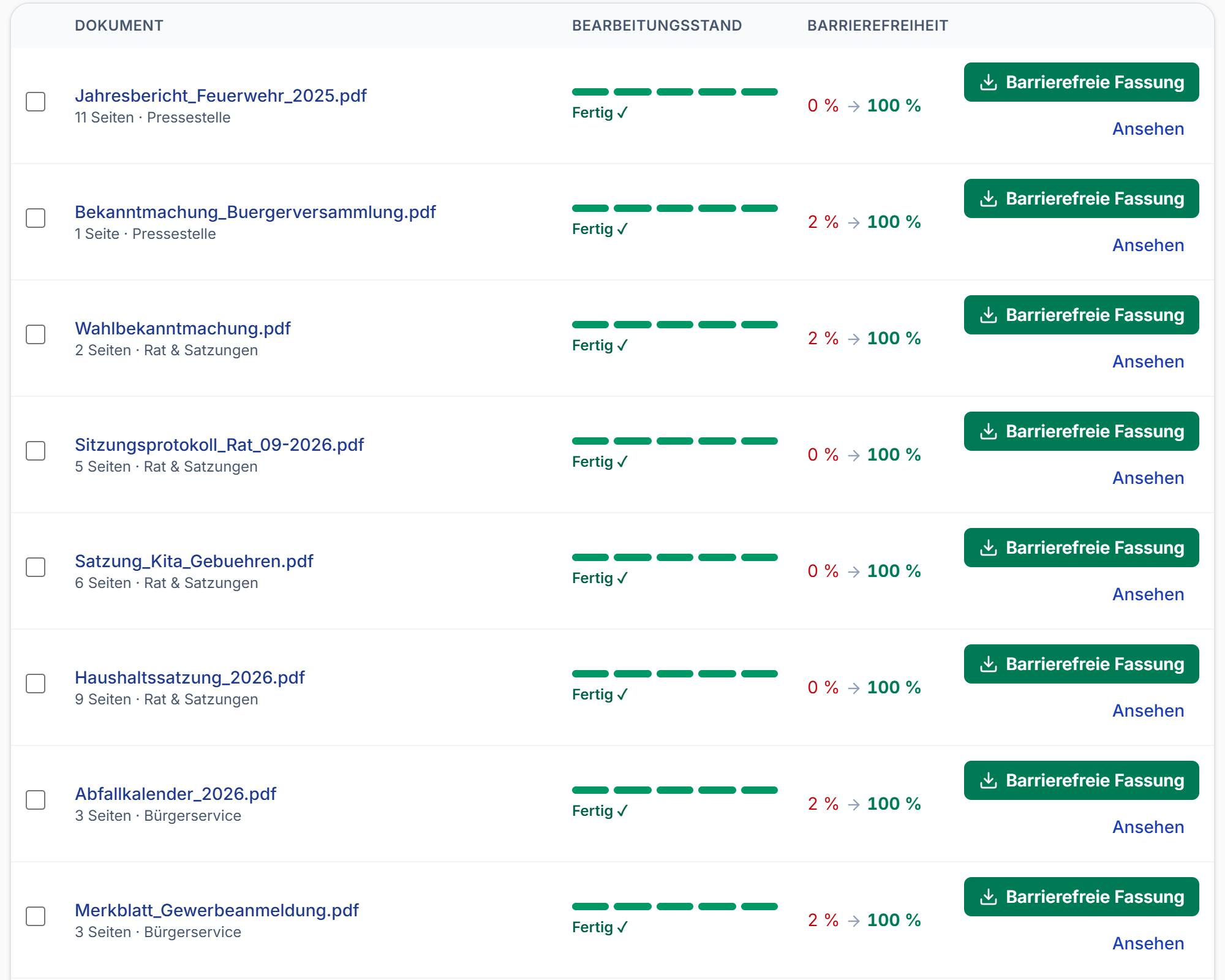
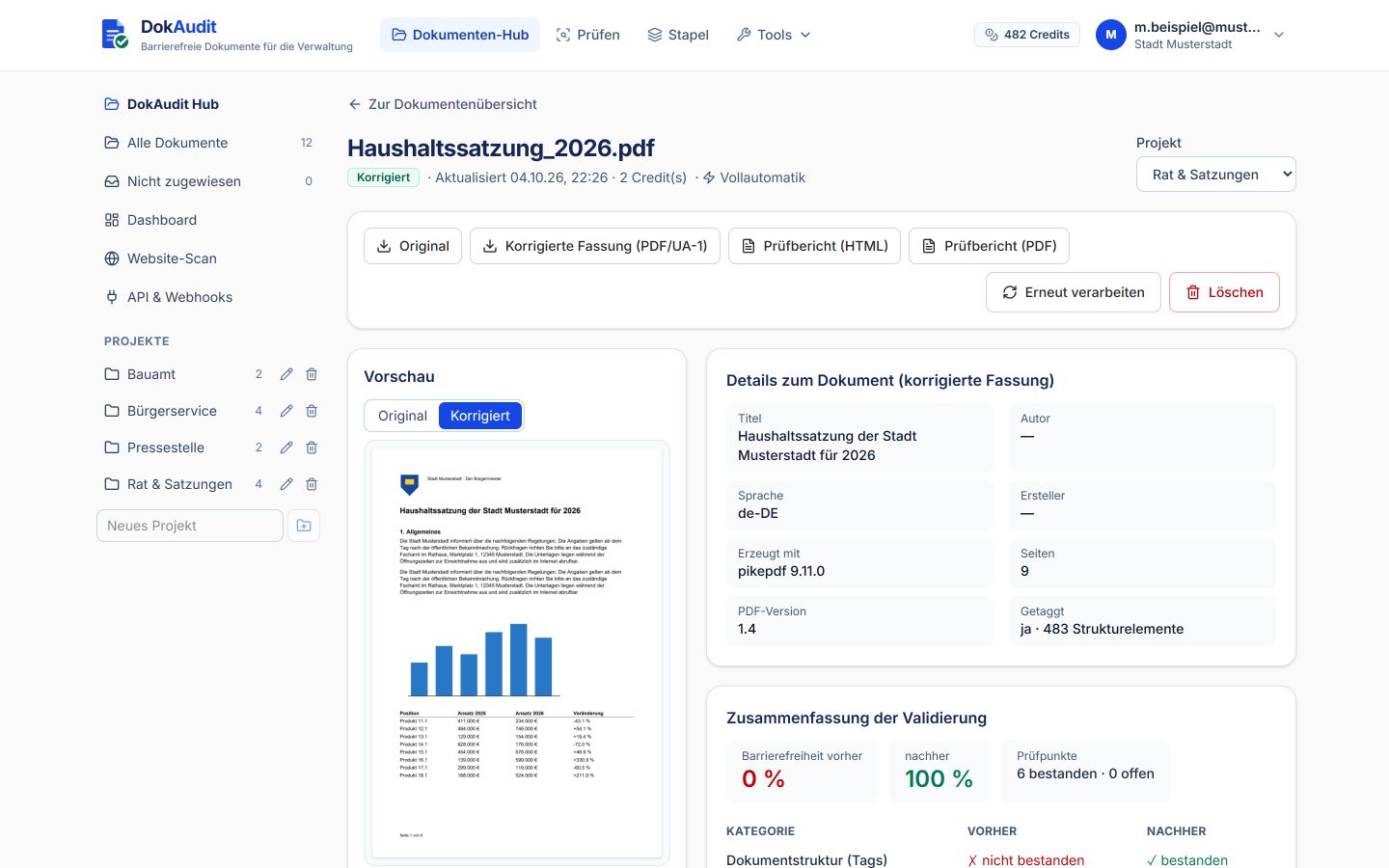
In the hub you drag in PDFs or Word files – up to 50 at a time. DokAudit checks, repairs, marks them as PDF/UA and re-checks. You see the status of every document, organise them by project and download the accessible version and the test report.
A typical result: a 76-page development plan starts with a score of 34 – no document title, 2 images without alt text (AI suggests, you review), no bookmarks despite 76 pages (they can be generated from the headings), document language set correctly. After repair: 100, PDF/UA check passed, report exported as evidence.
Discover the document hub · Start free
- Fully automatic, or check only to begin with
- Projects, dashboard and roles for the whole team
- Website monitoring with auto-remediation
- API, webhooks and MCP for CMS, DMS and AI
Red into PAC. Green out of PAC.
The test your auditors run.
Almost every public administration checks PDFs with PAC 2026. Here is the same file – an 8-page public notice with tables – before and after DokAudit. Automatically, in one pass, with no rework in Acrobat: all PDF/UA checkpoints passed, and WCAG, Quality and AI show green ticks too.
The same file in PAC 2026 | Before | After DokAudit |
|---|
| Errors in PAC | 10,675 | 0 |
|---|
| Tags (structure) | 0 (no tags) | 1,434 |
|---|
| Document language | x-unknown | de-DE |
|---|
| Title | (no title) | Bekanntmachung Wahlergebnis (announcement of election results) |
|---|
| Pages · file size | 8 · 55 KB | 8 · 341 KB |
|---|
| PAC tabs PDF/UA · WCAG · Quality · AI | failed · failed · warning · warning | 4 × green |
|---|
| PAC verdict | This PDF file is not PDF/UA compliant. | The PDF/UA requirements checked by PAC are fulfilled. |
|---|
PAC checkpoints in detail (passed / failed)| Checkpoint | Before | After DokAudit |
|---|
| PDF Syntax (ISO 32000-1) | 18 / 0 | 1,453 / 0 |
|---|
| Fonts | 4 / 0 | 4 / 0 |
|---|
| Content | 5,863 / 10,675 | 27,213 / 0 |
|---|
| Embedded Files | not applicable | not applicable |
|---|
| Natural language | 5,863 / 1 | 5,869 / 0 |
|---|
| Structure Elements | not applicable | 45 / 0 |
|---|
| Structure tree | not applicable | 1,434 / 0 |
|---|
| Role mapping | not applicable | 1,434 / 0 |
|---|
| Alternative Descriptions | not applicable | not applicable |
|---|
| Metadata | 1 / 2 | 3 / 0 |
|---|
| Document settings | 1 / 2 | 3 / 0 |
|---|
Reconstructed presentation of real PAC 2026 results from 10 October 2026; document name anonymised. PAC is a free checking tool from axes4 AG; DokAudit is not an axes4 product. PAC checks the machine-testable requirements – content questions such as the quality of alt text remain an editorial task.
Test your own PDF free
Free inventory check for your website PDFs.
Free · no sign-up
Enter a web address – DokAudit finds the linked PDFs, checks them with veraPDF and shows the affected documents, common findings, page count and a non-binding estimate of the remediation cost. No account and no upload list.
Start the free inventory check
Don't just check once. Keep it clean for good.
Continuous Accessibility
DokAudit can re-check websites daily, weekly or monthly. New, changed and removed PDFs are detected. Optionally, new or changed problem documents go straight into the hub for optimisation.
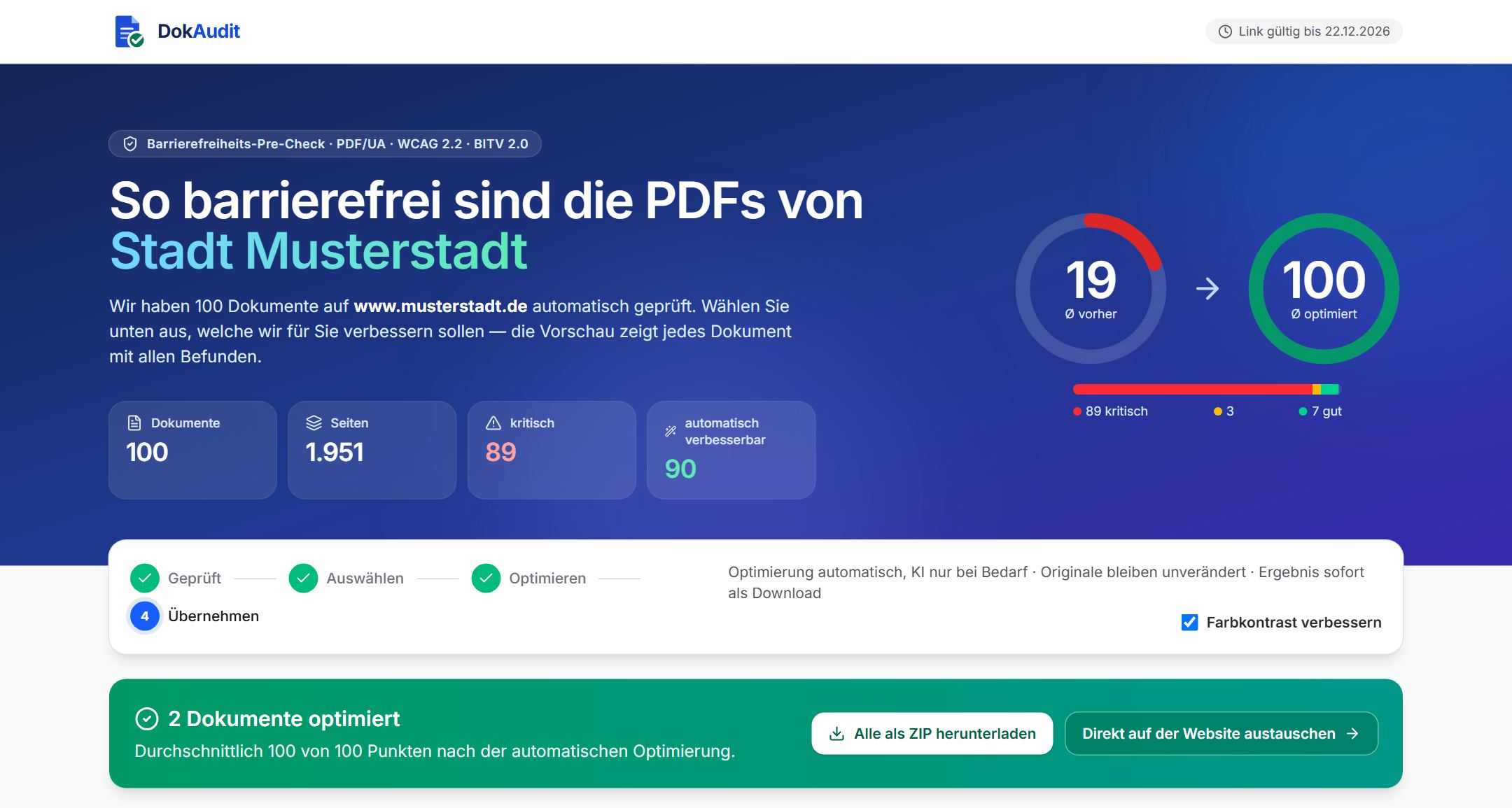
The screenshot shows the pre-check portal of a municipality (name anonymised): website scan, selection and optimisation in one view.
Try monitoring free · API & integration
- Detect new and changed PDFs automatically
- A history instead of an annual inventory
- Webhooks and API for CMS, DMS and specialist applications
- Auto-remediation for new problem cases, if you wish
DokAudit as the engine behind your own portal.
For IT service providers & platform vendors
A REST API, webhooks, multi-tenancy and on-premises operation also make DokAudit usable as the technical foundation for municipal platforms, document management systems and content management systems.
See the partner model
A finding everyone understands
Plain language instead of standard codes as a hurdle: a traffic light, a score and every finding in clear language – What does it mean? Who is affected? Can it be fixed automatically? For every point we also show the exact reference to the standard (PDF/UA-1, WCAG 2.2, EN 301 549) – as evidence for the monitoring body.
- Green – conformant, nothing to do
- Amber – improvement recommended
- Red – would currently fail an external audit
Plain-language risk: “This document would probably fail an external audit at the moment.” – plus exactly the findings that change that.
Example report: Satzung_Hundesteuer_2026.pdf (dog tax by-law), 42 pages
Score 31 before, 100 after repair; 15 of 18 findings fixed automatically; PDF/UA passed.
Findings in the example report| Finding | Status | Reference |
|---|
| Document title and language (de-DE) set | fixed automatically | PDF/UA-1 7.1 · WCAG 2.4.2 |
|---|
| Bookmarks generated from 24 headings | fixed automatically | PDF/UA-1 7.17 · WCAG 2.4.5 |
|---|
| 5 images without alt text | AI suggestion · reviewed | PDF/UA-1 7.3 · WCAG 1.1.1 |
|---|
| Tab order tied to the structure | fixed automatically | PDF/UA-1 7.18.1 · WCAG 2.4.3 |
|---|
| Table structure and contrast in order | passed | WCAG 1.3.1 · 1.4.3 |
|---|
Check your own PDFs free
Mandatory since 2019. And it is checked.
Many organisations have rebuilt their websites to be accessible. The documents behind them – forms, reports, policies, contracts, minutes – usually are not. For a screen reader they are often just an unordered stream of characters.
The Web Accessibility Directive (EU) 2016/2102 and the national laws that transpose it oblige public bodies to make their files accessible too – not just the website. In Germany, for example, the PDF is the barrier most frequently criticised in the monitoring bodies' reports.
Since 28 June 2025 the European Accessibility Act (Directive (EU) 2019/882) has also applied to many products and services sold in the EU, from banking and e-commerce to transport and e-books. Both directives point to EN 301 549, which builds on WCAG – and for PDFs, PDF/UA (ISO 14289) is the technical standard that makes it testable.
- Monitoring and EU reporting: the monitoring bodies – in Germany at federal and state level – check samples, explicitly including PDFs. Shortcomings end up in the report to your supervisory authority and to the European Commission.
- Complaints and enforcement: anyone can report barriers. The directive requires a feedback mechanism and an enforcement procedure; in Germany, for instance, a free conciliation procedure is available and recognised associations can take legal action.
- Reputational damage locally: “Town shuts visually impaired people out of official notices” – headlines like that can grow out of a single complaint.
- Costly remediation after the fact: external PDF remediation is usually charged per page. For large documents such as a 76-page development plan, that adds up quickly – per document.
Legal framework: Directive (EU) 2016/2102 · Directive (EU) 2019/882 (European Accessibility Act) · EN 301 549 · the national laws transposing them. In the UK, public sector bodies follow the Public Sector Bodies Accessibility Regulations 2018, which also reference WCAG.
Legal framework & standards
Which laws apply, and which standards say how it is done technically – the topics that come together with accessible documents.
- European Accessibility Act: Since 28 June 2025 accessibility requirements have also applied to many products and services in the private sector, such as online shops, banking services and e-books. Documents that are part of the service can be affected too. Learn more
- Web Accessibility Directive: Public bodies must make websites, apps and the documents they provide accessible. Directive (EU) 2016/2102 sets the framework; each member state transposes it into national law – in Germany at federal and state level. Example: German municipalities
- WCAG 2.2 & EN 301 549: WCAG describes what accessible means. In chapter 10, EN 301 549 applies its success criteria to documents such as PDFs – the benchmark is conformance level AA. Learn more
- PDF/UA-1 & PDF/UA-2: PDF/UA (ISO 14289) defines what the structure, tags and metadata of an accessible PDF look like. DokAudit checks against both parts and can also produce a UA-2 version on request. Learn more
- One file for website and archive: Accessible under PDF/UA-1 and archivable under PDF/A-2a in the same file. Both are validated with veraPDF; DokAudit sets the PDF/A identifier only if both standards pass. Learn more
Four steps to evidence
Honesty built in: the PDF/UA identifier is set only if the document really passes the standard check with veraPDF. AI suggestions are never accepted unchecked – the final decision is always made by a person.
- Upload: Drag a PDF or Word file into the browser. Word is converted into a tagged PDF automatically.
- Understand: Traffic light, score and every finding in plain language: What does it mean? Who is affected?
- Fix: Tick the boxes: title, language, bookmarks, fonts, tables, OCR – plus reviewed AI suggestions for image descriptions.
- Prove: Download the report – for the monitoring body or as a work order for the department concerned.
How DokAudit works in detail
Checked against
- PDF/UA-1 (ISO 14289) – the PDF standard
- WCAG 2.2 – the international guideline
- EN 301 549 – the European standard
- Directive (EU) 2016/2102 – binding for public bodies
- Directive (EU) 2019/882 – the European Accessibility Act
What sets DokAudit apart
No seat subscription, no black box: check, repair and prove in one workflow, with open rules and prices.
- Identifier only after a passed check: Repair runs in a loop until the veraPDF check passes. The PDF/UA identifier is set only after a passed check, never on suspicion.
- Open checking engine: Checks are run with veraPDF, and its name is in the report. Plus PDF/UA-2 and WCAG 2.2 references, explained in plain language with the legal reference.
- Forms, even from scans: Flat application forms and scanned forms become accessible, fillable PDFs through AI field detection.
- From website scan to API: Find, check and repair the PDFs on a website and generate a report. A hub for many documents, a REST API and webhooks for your CMS.
- Honest billing: 1 credit = 5 pages, with or without AI, without surcharges and without user licences. Unlimited user accounts, public prices from €0.50 per page.
- Data protection your way: Hosting in Germany, deletion after 7 days, data processing agreement online. Choice of AI provider (including Mistral, EU). On request as a Docker container in your own data centre.
DokAudit and Accessful compared
Both providers focus on public administrations. All 11 features in our comparison that Accessful offers according to its website – including checks against PDF/UA-1, PDF/UA-2 and WCAG 2.2, AI-assisted tagging and alternative texts, website scan, REST API, webhooks and operation in your own data centre – are also offered by DokAudit. Differences according to the manufacturers' public websites (as of 10 October 2026):
DokAudit and Accessful compared| Feature | DokAudit | Accessful |
|---|
| 2,200 pages, list price (net) | €1,100 (440 credits at €2.50 each) | €4,950 (prepaid page package) |
|---|
| Price per page | from €0.50 | €2.00 to €2.50, depending on the package |
|---|
| Free start | Pilot: 20 credits (100 pages) including repair | Check in the scanner free of charge |
|---|
| Scanned documents | OCR included | Processing “depends on the individual case” |
|---|
| Integration | REST API, webhooks and extensions for TYPO3 and Drupal | REST API and webhooks |
|---|
Prices are list prices; the units differ (credits vs page package). All details with sources: comparison with sources · cost calculator.
Pricing
Billed by usage, not by seats. 1 credit = 5 pages checked and repaired, including all re-checks, with or without AI.
- from €0.50: per page, AI included (1 credit = 5 pages)
- €150 / month: Public sector plan: 60 credits = 300 pages, excl. VAT, cancel monthly
- €0: Pilot: 20 credits = 100 pages to get to know DokAudit
Costs, comparison and calculator
Security & data protection
- Checked against PDF/UA-1 · PDF/UA-2 · PDF/A-2a · WCAG 2.2
- Developed in Switzerland & Germany
- Hosting in Germany · EU
- GDPR-compliant: data processing agreement, configurable retention periods
- Data centre: ISO/IEC 27001 · Germany
- Operation: cloud or on-premises (Docker)
- Operation in Germany or on-premises: Operated by Hetzner in data centres in Germany (Hetzner Online GmbH is certified to DIN ISO/IEC 27001:2022) – or entirely in your own data centre as a Docker container. Your documents then never leave your premises.
- No data retention: Documents are stored only for processing and deleted automatically after 7 days.
- AI only on click, only excerpts: For alt text, only image excerpts are sent to the Claude API – never the whole document. Not used for training. Can be switched off for the whole organisation.
- Access protection: Registration only with an official email domain, double opt-in by email, HttpOnly sessions, TLS. Your admins manage access themselves.
- GDPR: Data processing agreement under Art. 28 GDPR, measures based on the IT baseline protection (IT-Grundschutz) of Germany's Federal Office for Information Security (BSI), usage log without document content.
Frequently asked questions
- What is checked – and against which standards?
- The machine-testable requirements of PDF/UA-1 (ISO 14289-1) and WCAG 2.2 – the benchmark of EN 301 549 and of the laws based on it. Specifically: document structure (tags), language, title, alt text, bookmarks, font embedding, table structure, link descriptions, tab order, colour contrast and scan detection. Checking engine: veraPDF (the open-source validator for PDF/UA), among others.
- What can be repaired automatically?
- Title, language, title display, tab order, bookmarks, font embedding (Arial, Times, Courier, Calibri, Cambria), table and link repairs, image positions, copy-protection restrictions, form field labels, OCR for scans and the PDF/UA identifier (only after a passed standard check). The structure too: if it is missing or only a stub, DokAudit generates it automatically – headings, paragraphs, lists, tables, links, and headers and footers as artefacts; for scans after text recognition. In tagged PDFs, headings that are only set in bold are tagged as H1–H3, and layout tables are resolved. With AI support: multi-column layouts and unclear tables (accepted only if the standard check does not rate the result worse) as well as alt text. Manual work remains for very large documents, PDFs with an open password and a wrong reading order within an otherwise usable structure; please spot-check automatically generated structures. With the Word source file, a tagged PDF is produced directly.
- How does the credit model work?
- 1 credit = 5 pages (rounded up per document, minimum 1 credit), with or without AI. Included are checking, all automatic repairs, AI (structure, alt text) and any number of re-checks. Making a form fillable and AI field detection for scans are charged by the same rule (1 credit per 5 pages). Downloads and reports are always free. Nobody pays for fixing things again.
- Who can register?
- Anyone with a work email address (e.g. @stadt.wolfsburg.de). The first person from a domain creates the organisation and becomes its administrator; colleagues from the same domain join automatically. Private email providers are not accepted.
- Does this replace a full accessibility audit or a service provider?
- It replaces the expensive routine work: you find and fix the typical PDF defects yourself. A full conformance assessment also needs human checks; the report gives you the groundwork and the evidence.
- Can we run it in our own data centre?
- Yes. The application is a Docker container without mandatory external dependencies (AI optional). On-premises licences for districts and data centres on request.
- Which languages does DokAudit handle?
- Large parts of the web app are already available in English (language switch in the app); the document hub, the checker and the test report will follow shortly. The remediated PDFs, the API and the CMS plugins work for documents in any language – English, French, German, Italian and Spanish are detected automatically.
- Where is my data processed?
- On servers in Germany (ISO/IEC 27001). Uploaded documents are deleted after 7 days. On-premises operation is available for larger organisations.
- What about the UK?
- UK public sector bodies follow the Public Sector Bodies Accessibility Regulations 2018, which also reference WCAG. The PDF/UA and WCAG checks apply in the same way.
Test your first official gazette
Or any other document: run a free website scan or test 100 pages free of charge. No credit card, unlimited users.
Start free trial · Pricing